Makeblock mBot2: Review
Your child said "I want to make that" and you recognised the tone. The mBot2 is a build-it, code-it robot that grows from Scratch blocks to Python without buying anything new. It's not easy. It rewards patience. The right child will still be using it two years from now.
Your child watched a video of a small robot dodging obstacles on a kitchen floor and said, unprompted, "I want to make that." You recognised the tone. It was the same one they used before the guitar lessons and the chemistry set, both of which are now gathering dust.
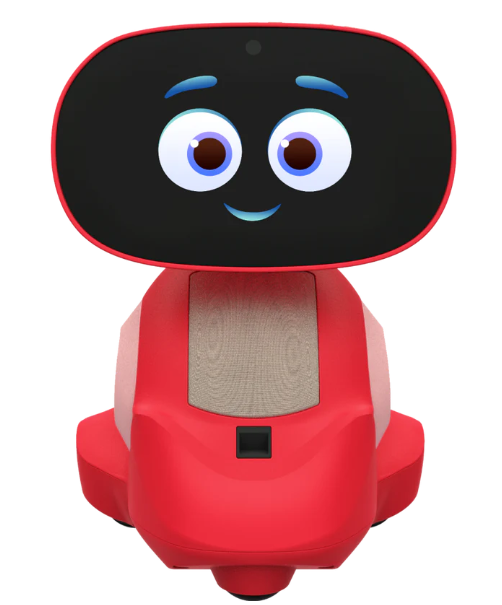
The Makeblock mBot2 is a small wheeled robot your child builds from a kit of aluminium and plastic parts, then programs using block coding or Python. It runs £130–£150. Assembly takes about thirty minutes for a child aged eight or older, and the instructions are clear — similar to a LEGO set but faster. Once built, it connects to the mBlock app on a tablet and your child spends the first session driving it around the room, changing its LED colours, and watching it follow a line on an included paper track. That first session is genuinely fun. What matters is whether the second one is too.
What it's genuinely good at
Most coding robots at this price have a ceiling your child will hit within a few months. The mBot2 doesn't. The mBlock software starts with Scratch-style drag-and-drop blocks, then lets your child switch to Python on the same platform, with the same robot, whenever they're ready. A child who begins at eight with block coding can be writing real text-based programs by ten without you buying anything new. That growth path — toy coding to actual programming on one device — is the single best reason to choose this over the competition.
The hardware matches. Aluminium chassis instead of brittle plastic, so it survives the crashes that happen while a nine-year-old learns what "too close to the wall" means. The CyberPi board on top has a screen, speaker, microphone, gyroscope, accelerometer, and enough sensors to fuel genuinely interesting projects once the basics click. There is somewhere to go after week one. That's rarer than it should be.
What's actually wrong with it
The building instructions are good. What comes after them isn't. The build ends and you're expected to figure out how to connect the mBlock app to the robot via Bluetooth with no real guidance. A tech-comfortable parent will get through it. Everyone else should budget an extra half hour and lower expectations for the first afternoon. Makeblock could fix this with a better onboarding sequence at the end of the build. They haven't.
The deeper problem is that this is not the entry-level product the box implies. "Ages eight and up" is technically true in the way that a piano is suitable for anyone with fingers. An eight-year-old working alone will exhaust the pre-loaded modes — drive, draw-and-run, voice control — in an afternoon. The real value starts when they open the coding environment, and that requires either a parent sitting alongside or access to Makeblock's downloadable lesson plans, which are written for teachers rather than children. A motivated ten-year-old with some Scratch experience will thrive here. An eight-year-old who has never coded will need a co-pilot for weeks, not days.
This means the mBot2 will actively disappoint one specific type of child: the one who wants a robot that does impressive things out of the box. The pre-loaded modes are appetisers, not the meal. The meal is programming, and programming means sitting down, thinking, and tolerating failure. If your child isn't ready for that — or if there's no adult willing to sit through the early frustrations with them — this will be under the bed by half term. There is no fix for this. It is what the product is.
The verdict
If your child is nine or ten, has used Scratch, and likes building things, this is one of the best options at the price. It teaches real skills, the hardware lasts, and it won't bore them by year two. For younger children, it works — but only with a patient parent beside them for the first few weeks. And if your child just wants something that moves and makes noise without any effort, buy a remote-control car. Cheaper, simpler, and nobody has to debug anything.