Robotics for 6-7 Year Olds: The Year It Starts to Stick
Seven-year-olds don't just want the robot to move. They want it to go exactly where they said. The kits that work at this age, and the ones that don't, plus what to say when the debugging session tips into a meltdown.
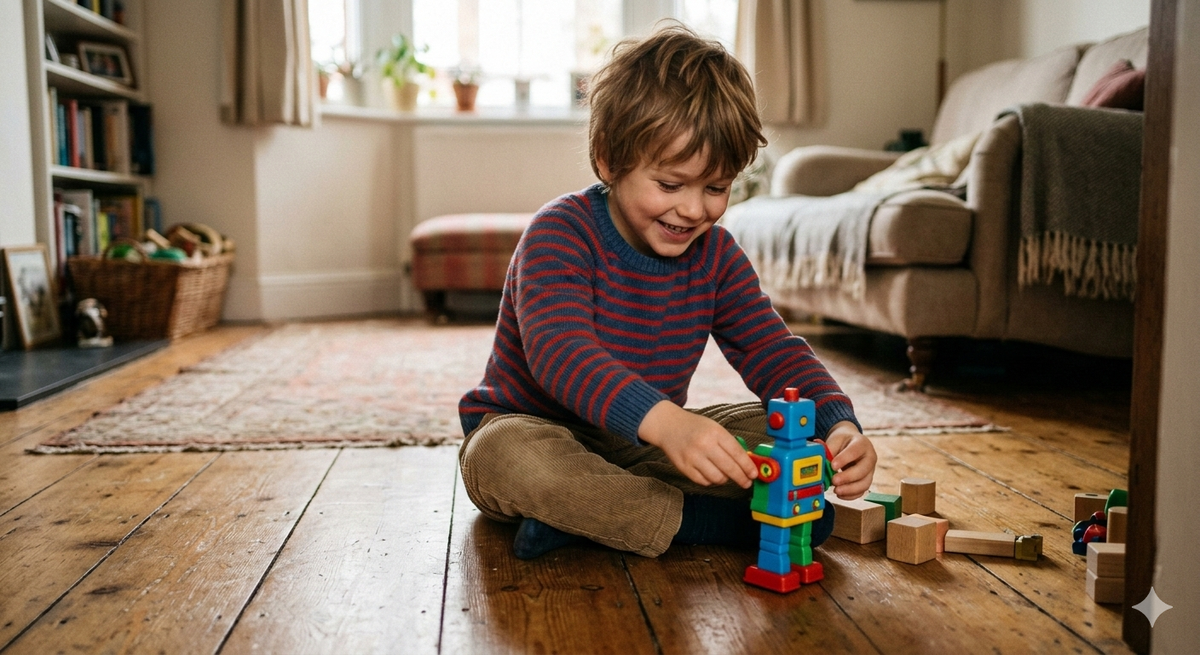
Seven-year-olds understand that their code makes the robot turn left. They cannot always work out why it turned left twice when they only asked for once, and unlike at five or six, that gap no longer produces a shrug. It produces an investigation.
This is the age where robotics shifts from toy to tool. Not because children this age are suddenly disciplined (they're not), but because they've developed just enough logical thinking to want to understand why something happened, and just enough stubbornness to try again when it doesn't work. The frustration that drove a five-year-old to walk away is the same frustration that, at six or seven, can flip into a genuine problem-solving session.
If you've read the 5-6 year olds post in this series, some of this will look familiar. Botley 2.0 and Ozobot Bit appear again, and there's a reason for that. Both have enough range to still be the right answer at six or seven, but they play differently at this age, and I'll explain what changes. The kits that were right for a five-year-old arriving at robotics for the first time are not the same as the kits that are right for a seven-year-old who's ready to push further.
What six and seven year olds can actually do
Fine motor skills are largely there. Most children this age can manage connectors, press-fit pieces, and a tablet interface without significant help.
What's developing, and what separates six from seven more than anything else in this range, is sequential thinking with intent. A six-year-old can follow a three or four-step sequence reliably. A seven-year-old is starting to plan ahead: if I put this instruction here, the robot will do that later. That's the foundation of actual programming logic, and some of these kits are built to reach for it.
What they still can't do reliably at either age is debug independently. When the robot doesn't go where they wanted, identifying which step caused the problem requires a kind of reverse-engineering that's genuinely hard for most children under eight. They know something went wrong. Pinpointing what requires slowing down with an adult.
Attention spans run to about 20 minutes of focused play before a natural break is needed. Kits with short feedback loops hold attention far better than ones that require extended setup before anything moves.
The kits
Botley 2.0 (still the right call, but for different reasons now)
If your child is arriving at six or seven without any robotics experience, Botley 2.0 is still the right first kit. Screen-free, engaging within the first session, and harder than it looks.
For a child who already had Botley at five, the question is whether they've genuinely exhausted it. A child who has worked through the object detection, the line following, and the 150-step sequences, constructing elaborate programs rather than short ones, has probably outgrown it. A child who got it at five and used it mainly as a novelty probably hasn't.
In the first 30 minutes, a child new to Botley will build a route around a course of obstacles they've set themselves, add a sound or light effect at a specific point, then change what happens when Botley detects something in its path. That's sequencing, event-triggered actions, and conditionals, and the child won't know they're learning any of them.
The downside remains what it was at five: Botley needs 5 AAA batteries not included, and cheap batteries produce intermittent, confusing behaviour that can look like a fault. Buy decent ones before the box opens. There are also some documented issues with the line-following sensor stopping working after extended use.
Not for a child who has already genuinely mastered Botley and is ready to be stretched.
Buy in the US: Amazon US / Learning Resources US Buy in the UK: Amazon UK / Learning Resources UK
LEGO Boost
LEGO Boost is the kit that rewards the transition from following instructions to writing them. The child builds five different robots from the kit (a robot called Vernie, a guitar, a cat, a rover, a factory) and programmes them through a tablet app using drag-and-drop code blocks. In the first 30 minutes, most children have Vernie assembled and are editing the code to make him react differently when they wave in front of his sensor.
Boost's strength is that it layers. There's enough in the programming environment to keep an engaged seven-year-old extending their builds for months, and the kit is fully compatible with standard LEGO, so children can combine it with sets they already own. The jump from following the build instructions to adding code that changes what the robot does is a meaningful one, and Boost makes it feel achievable rather than overwhelming.
The downside is the first session. Vernie takes around an hour to build before the programming starts. For a child who arrived wanting to programme something immediately, that's a difficult first hour. Worth managing expectations, and worth starting the build together.
One practical note that doesn't always make it into reviews: Boost requires a tablet and Bluetooth, and compatibility with older devices can be patchy. Check the LEGO compatibility list at lego.com before buying if you're planning to use a family tablet that's more than a few years old.
For a child who is confident with sequential thinking and wants more programming depth than screen-free kits offer. Not for a child who is just starting out or who finds setup frustrating.
Buy in the US: Amazon US Buy in the UK: Amazon UK
Wonder Workshop Dash
Dash appeared in the 5-6 year olds post as the pick for children ready to be pushed. At six and seven it's a more natural fit, and worth reconsidering even if you looked at it before.
It connects to a free app via Bluetooth and the entry-level Path app lets a child draw a route on screen for Dash to follow around the room. The Blockly app introduces drag-and-drop programming with sequences, loops, and conditions. In the first 30 minutes, a six-year-old will have Dash responding to voice commands, following a route they drew in the app, and working out that pressing the button on Dash's head mid-run produces a reaction. Within a few sessions they're building short Blockly programs.
The genuine case for Dash at this age is longevity. Botley and Boost will hold a confident child for a year or two. Dash keeps asking more through ages 7, 8, and 9, because the programming depth grows with the child rather than stopping at a fixed level. At around £130 in the UK and $150 in the US, the per-year cost of ownership is actually reasonable if the child is genuinely ready for it.
The downsides are real. It requires a tablet or phone and Bluetooth, setup can glitch, and a child who isn't yet comfortable with the app interface will need adult involvement for the first several sessions. This is not a kit to hand to a child on a Sunday afternoon without reading the setup guide first.
For a six or seven-year-old with some sequencing confidence who is ready to leave button sequences behind. Not for a first introduction to robotics.
Buy in the US: Amazon US / Wonder Workshop direct Buy in the UK: Amazon UK
Ozobot Bit (for the right child, still)
Ozobot Bit also appeared in the 5-6 post, and remains worth considering at six and seven for a specific type of child: one who draws constantly and finds the button-pressing approach of other robots unengaging.
The robot is roughly the size of two dice stacked. It programmes by reading colour-coded sequences drawn on paper with markers. Draw a path, add small colour sequences, and Ozobot follows the line and executes those commands: speed up, slow down, spin, zigzag.
What changes at six and seven is that the precision problem largely solves itself. The fine motor control that made colour codes unreliable at five is more developed now. Children this age can draw accurately enough that Ozobot reads the codes reliably, which means the programming logic can actually be explored rather than just the drawing.
The downside is the feedback loop. Changing Ozobot's behaviour means redrawing, which slows iteration compared to the other kits here. For a child who wants to test changes rapidly, that friction builds up quickly.
For the child who already draws and colours as a primary activity. Not the right choice if your child wants immediate, dramatic movement and lots of rapid experimentation.
Buy in the US: Amazon US / Ozobot direct Buy in the UK: Amazon UK / Ozobot direct
When things go wrong
The most common problem at this age isn't frustration with the robot. It's a more specific frustration: the robot is not doing what I told it to do. Those are different problems.
If the robot is genuinely not doing what the child programmed, run the programme together step by step and say: "Let's check each instruction and see what it should do." This treats debugging as detective work, which it is, and shifts the emotional frame from failure to investigation. Most of the time the error is in step three or four, and the child finds it themselves once you slow them down.
If the child is insisting the programme is correct when it isn't, the useful question is: "What do you think will happen next?" Getting them to predict the robot's behaviour before running the code makes the gap between intention and result visible without turning it into a correction.
The meltdown scenario, where the robot won't cooperate and the child tips into genuine upset, usually happens after repeated failures in a short window. Stop the session. Come back tomorrow. This isn't giving up; it's recognising that the brain doing the learning needs time. The kits that produce the best results at this age are the ones that give clear wins within the first 10 minutes. That's worth weighing when you choose.
Verdict
If your child is starting from scratch at six or seven, Botley 2.0 is the right default. Screen-free, engaging immediately, and harder than it looks.
If they've already had Botley or Bee-Bot and are genuinely ready for more, the decision splits: LEGO Boost if they build as much as they code and want more programming depth with familiar materials. Dash if you want something that lasts them into age 9 and beyond, and they're ready for an app interface.
Ozobot Bit remains the right choice for a child who draws constantly and for whom the other kits feel like someone else's idea of fun.
The kits parents worry most about at this age are the ones that might be slightly too hard. In practice, the ones that end up under the bed are almost always the ones that were too easy.
Sources: Learning & the Brain Foundation, LEGO Education, Learning Resources, Wonder Workshop, Ozobot product documentation.