Robotics for 5–6 Year Olds: What Changes at This Age
Five-year-olds know their code makes the robot turn left. They can't always work out why it turned left three times. Which robotics toys actually work at this age, what's changed since four, and what to say when the robot won't do what they want.
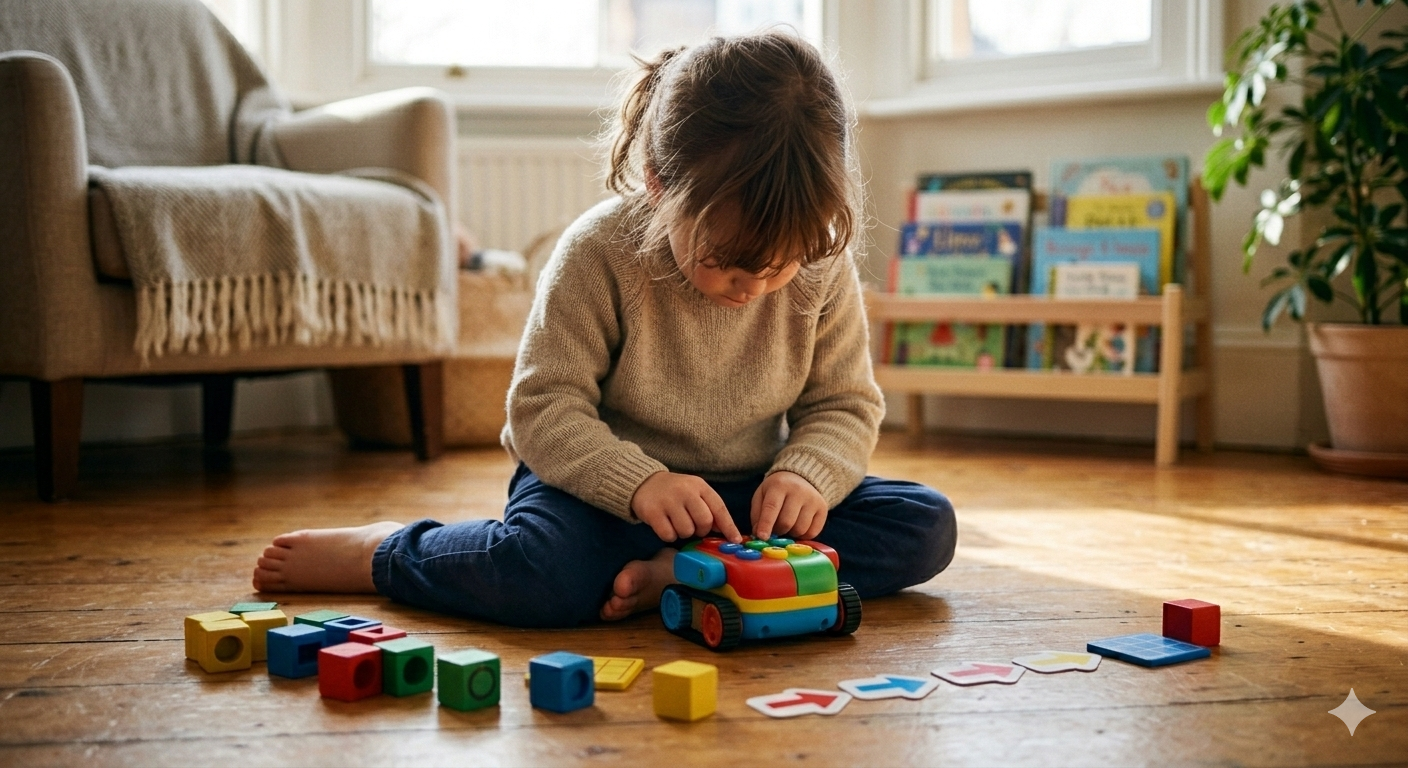
Five and six year olds understand that their code makes the robot turn left. They cannot always work out why it turned left three times when they only asked for two.
That gap, between intention and execution, between the plan and the result, is the defining feature of robotics at this age. Children are no longer just delighted that pressing something causes movement. They're starting to want it to go somewhere specific. That shift is what changes which toys are worth buying.
If you've read the 4-year-olds post in this series, some of this will look familiar in places. Botley 2.0 and Bee-Bot appeared there too, and there's a reason for that. Both span the 4–6 range, and whether they're the right next step depends on what your child already has. This post addresses both groups, children who are arriving here from something simpler, and children encountering a coding robot for the first time.
What children this age can and cannot do
Five and six year olds are developing genuine sequential thinking. They can hold a three or four step plan in mind, execute it, and notice when the result doesn't match the intention. That's meaningfully different from four, when the plan and the doing were much more intertwined, and the goal was mostly to make something happen at all.
What they still can't do reliably is debug. When the robot doesn't go where they wanted, identifying which step caused the problem requires a kind of reverse-engineering that's genuinely hard for most children under seven. They know something went wrong. Pinpointing what, and why, is where adult input earns its keep.
Motor skills at five and six are well enough developed for small buttons and remote controls. Fine motor tasks that require consistent precision, drawing colour codes accurately, for instance, are still variable. Some children manage them easily. Others don't, and no amount of effort fixes that until the development catches up.
Attention spans have extended enough that a 20 to 30 minute session is realistic when the child is genuinely invested. The first session with any robot still matters disproportionately. If the robot doesn't do something interesting in the first 15 minutes, the battle is uphill from there.
The kits
Bee-Bot (for those who haven't had one)
If your child is coming to robotics for the first time at five or six, Bee-Bot is still worth knowing about. It's a chunky yellow bee with five large buttons on its back, forward, backward, left, right, go, and nothing else. No app, no remote, no setup. Press a sequence, press go, watch it move.
In the first 30 minutes, a child who's never seen a coding robot will press forward three times, press go, watch it move, and immediately want to do it again differently. Within two sessions they're usually trying to get it to a specific place. The grid mats sold separately make that goal concrete: program Bee-Bot to travel from here to there across a map.
The downside, and it's real, is that Bee-Bot has a low ceiling. A child who gets it at five will outgrow it by six or seven. The programming is too simple to hold their attention once they've mastered the directional logic. It's a starter, not a grower.
Best for a true beginner at five, or a child who needs guaranteed success in the first session and responds badly to frustration. Not for a child who already has some sequencing experience, or who will feel patronised by a toy that doesn't push back.
Buy in the US: Amazon US / STEMfinity Buy in the UK: Amazon UK / TTS direct
Botley 2.0 (the continuation pick, and the best first choice for most)
Botley 2.0 from Learning Resources is where most children this age should land, whether they've had Bee-Bot before or not. It's more capable than Bee-Bot, with object detection, six directions, sequences of up to 150 steps, and 16 unlockable character modes including a ghost, a police car, and a dinosaur, but still entirely screen-free.
For a child graduating from Bee-Bot, the meaningful upgrade is the remote. Rather than pressing buttons directly on the robot's back and watching it execute immediately, the child programs a sequence into the remote first, then transmits it. That separation, plan then run, is where the thinking gets harder and more interesting.
For a child encountering it for the first time, the object detection is often the first thing that hooks them. Place a book in Botley's path, watch it stop and honk. Move the book to a different position. Watch it stop again. That moment, it saw it, produces a reaction in 5-year-olds that's hard to manufacture any other way.
The honest downside is batteries. Botley needs 5 AAA batteries that aren't included, and battery quality matters here more than with most toys. Some brands don't make reliable enough contact and produce confusing, intermittent behaviour that can look like a fault. Buy quality batteries before the child opens the box, not after. There are also documented occasional issues with the line-following sensor stopping working after extended use.
Best for most children this age, first-time or not. The exception is a child who's already well past the sequencing basics and is ready for something that requires more genuine problem-solving, in which case, look at what's below.
Buy in the US: Amazon US / Learning Resources US Buy in the UK: Amazon UK / Learning Resources UK
Code and Go Robot Mouse
The Code and Go Robot Mouse, Colby, takes a different angle on the same developmental moment. The child builds a maze from included grid tiles and walls, programs Colby using colour-coded directional buttons to navigate through it, and the goal is a small wedge of plastic cheese waiting at the other end.
What's genuinely different here is that the set includes physical coding cards, directional arrow cards the child can lay out in sequence on the table before touching the robot at all. That externalisation of the plan is a real cognitive aid for children who struggle to hold four or five steps in working memory. The sequence is there, in front of them, before anything moves.
The maze element also reframes the activity. Rather than "make the robot go," the goal is "solve the puzzle," a different kind of investment, and one that often sustains attention longer. Children who have outgrown the open-ended button-pressing of Botley sometimes come alive again when there's a specific problem to solve.
The downside is setup. Building a maze takes five to ten minutes before the first button is pressed, and the walls and tunnels need to be placed accurately or Colby loses its way. Some children love the building phase. Others find it a delay before the point.
Best for children who build as naturally as they play, Duplo, magnetic tiles, anything construction-based. The maze-building element adds something for them rather than creating friction. Less suited to a child who wants immediate feedback and finds setup frustrating.
Buy in the US: Amazon US / Learning Resources US Buy in the UK: Amazon UK / Learning Resources UK
Ozobot Bit
Ozobot Bit is the outlier on this list, and worth including because it suits a type of child the other three don't reach well.
It's tiny, about an inch across, roughly two dice stacked. It programs by reading colour-coded sequences drawn directly on paper with markers. Draw a black path, add small sequences of coloured dots, and Ozobot follows the line and executes those commands: speed up, slow down, spin, zigzag. No remote. No buttons except the power switch.
The entry point is as simple as anything here: put Ozobot on a thick black line and press the button. It follows the line without any other input. A child working out how to add colour codes can layer that in gradually, using either markers or the sticker codes included in the kit.
What's specific about Ozobot is that the child is drawing, not programming in the conventional sense. For children who draw and colour as a primary activity, the idea of coding their drawing, making something follow the path they've created, is a natural extension of something they're already doing rather than a new type of play entirely.
The practical problem at this age is precision. The colour codes need to be drawn accurately enough for the optical sensor to read them, which requires fine motor control and colour accuracy that's still developing at five. The sticker codes solve much of this problem and are worth using freely. On carpet, Ozobot struggles. It works on paper and smooth surfaces only.
Best for children who draw constantly, who are already interested in art alongside their STEM curiosity, and who find the button-pressing approach of other robots unengaging. Not the right choice for a child who wants immediate, dramatic movement feedback.
Buy in the US: Amazon US / Ozobot direct Buy in the UK: Amazon UK / Ozobot direct
Wonder Workshop Dash
Dash sits a step up from everything else on this list, and is primarily the right choice for a six-year-old rather than a five-year-old, or a five-year-old who already has solid sequencing experience and is ready for something that asks more.
It's a rounded blue robot that comes fully assembled and connects to a free app via Bluetooth. The entry-level app, Path, lets a child draw a route on screen for Dash to follow around the room. A genuinely accessible starting point. The Blockly app introduces drag-and-drop coding with sequences, loops, and conditions. Five hours of battery life on a full charge.
In the first 30 minutes, a six-year-old will have Dash responding to voice commands, following a route they drew in the Path app, and working out that pressing the button on Dash's head while it's running produces a reaction. Within a few sessions they're building short Blockly programs and watching Dash execute them.
The thing that genuinely differentiates Dash from everything else here is the ceiling. Bee-Bot runs out of road in months. Botley goes further. Dash keeps asking more of the child through ages 6, 7, 8 and beyond, because the programming depth grows with the child rather than stopping at a fixed level.
The downsides are real. It requires a tablet or phone and Bluetooth, which means setup and the occasional connection glitch. At around £130 to £160, it's the most expensive option on this list by some distance. And it requires more patience in the early sessions than screen-free robots. A child who can't yet manage the app interface will need adult involvement to get started.
Best for a six-year-old with some sequencing confidence who is ready to move beyond button sequences and into something with genuine programming depth. Not for a child who's just starting out, or one who gets frustrated by technology setup.
Buy in the US: Amazon US / Wonder Workshop direct Buy in the UK: Amazon UK / RobotShop UK
When things go wrong
The most common problem at five and six isn't the robot malfunctioning. It's the gap between what the child intended and what happened, and the child's inability to identify which of their inputs caused it.
When this happens, resist the instinct to fix the sequence for them. The move that actually helps is to slow everything down and reduce. Take the robot back to the start. Ask them to tell you one step, just one. Watch what happens together. Then one more. The sequence they tried to run in one go often works fine when they build it a step at a time.
"It went wrong" and "it won't do what I want" are two different problems. The first is usually a bug they can find with help. The second is sometimes a child who is genuinely past what this robot can offer and needs something harder. It's worth telling them apart.
If a child hits a meltdown rather than a thinking-through-it frustration, the session is over. That's not a failure. Coming back the next day, after the frustration has cleared, produces breakthroughs much more reliably than pushing through.
Verdict
For a child coming to this for the first time at five or six, Botley 2.0 is the right default. It's screen-free, engaging within the first session, and has enough depth to stay interesting well into primary school.
If they're a genuine beginner at five and you want the simplest possible start, Bee-Bot first, then Botley when they've outgrown it, which will be within a year.
If they build as much as they play, Code and Go Robot Mouse earns serious consideration alongside Botley. If they draw constantly, Ozobot Bit. If your child is six, has some confidence already, and you want to buy the toy that lasts, Dash is worth the price.
For children arriving here having already had Botley or Bee-Bot at four, the genuine step up is Dash or Code and Go Robot Mouse. Replacing one of the same toys is unlikely to produce the engagement you're hoping for. The jump in difficulty is what produces the engagement, not the novelty of the packaging.
The shift that happens between four and six isn't just about motor skills or vocabulary. It's about caring whether the robot went to the right place. That's the thing to build on.